Opens in a new tab
Hello Concerto.

Concerto Piano · The game

Learn piano
by playing.

A scrolling score, falling notes, colored keys and 13,900 scores: here is what you will see on screen, with your own keyboard.

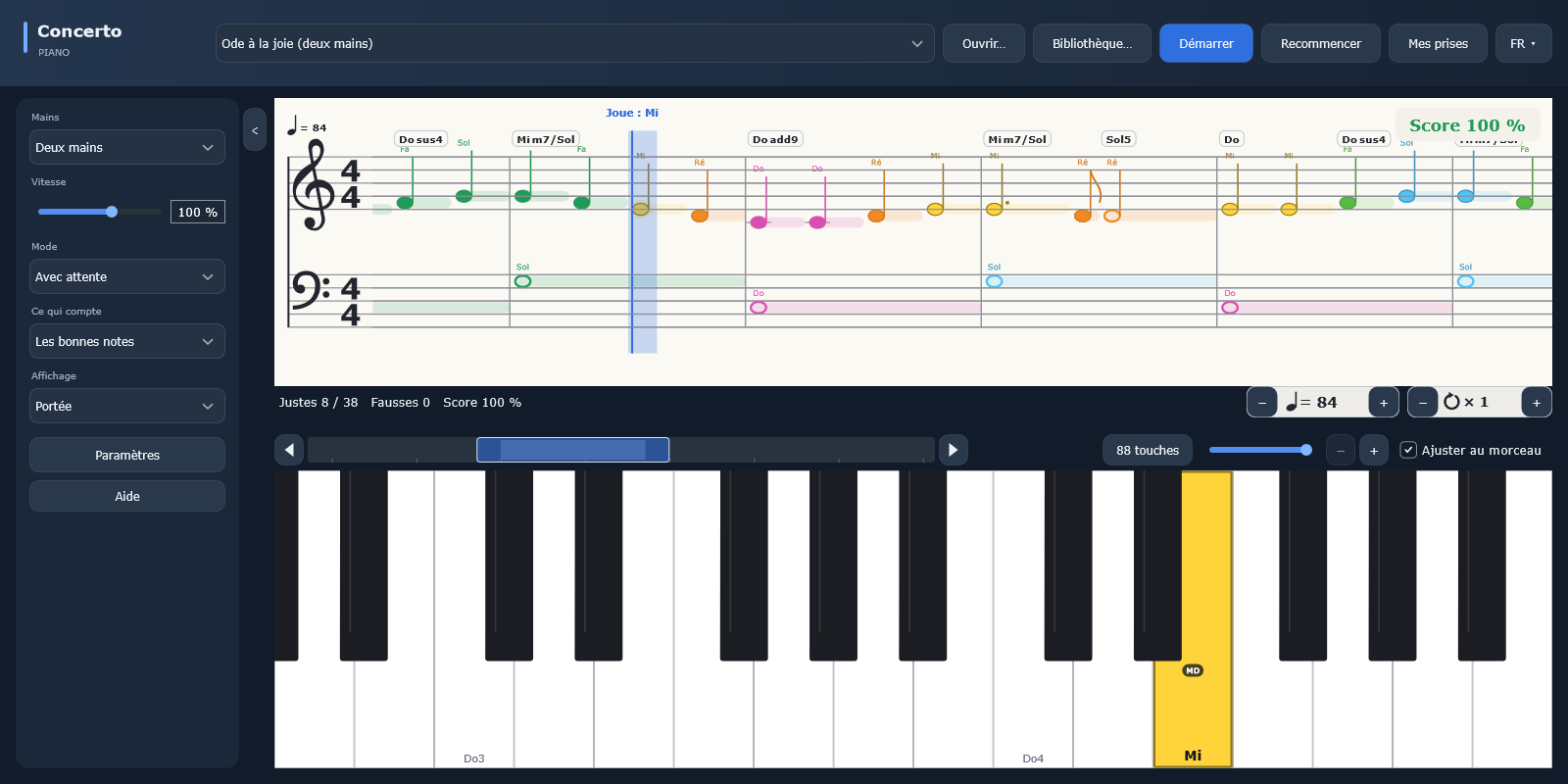
Concerto Piano: the score of Ode to Joy, colored notes, names and fingerings, with the keyboard

Read the score, note by note.

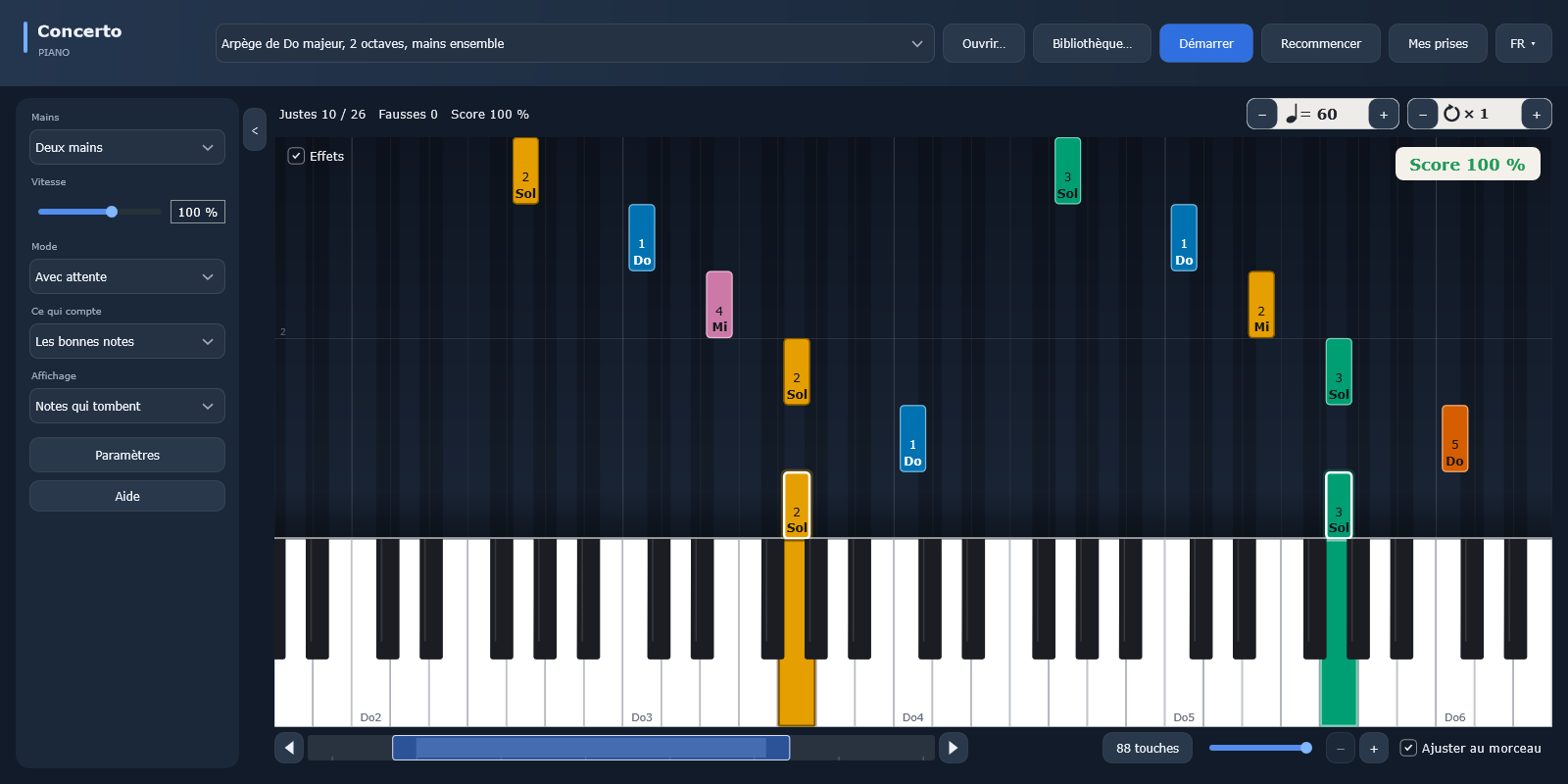
The staff scrolls as you play: the expected note is highlighted, its name is written above it and the key lights up on the keyboard. Every note has its own color, fingerings are shown and chords are named above the staff. In “Wait mode”, the piece waits for you: you move forward at your own pace.
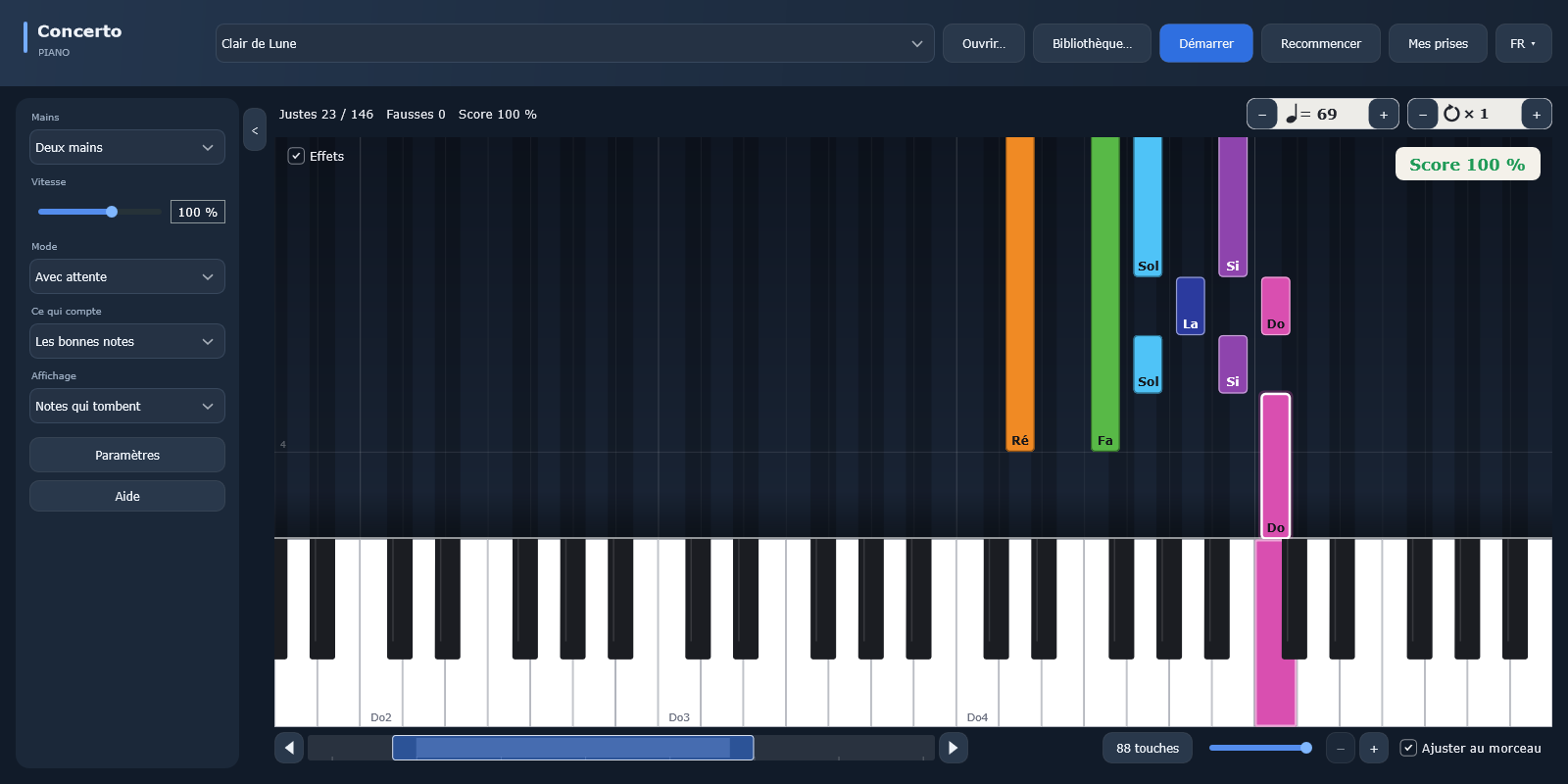
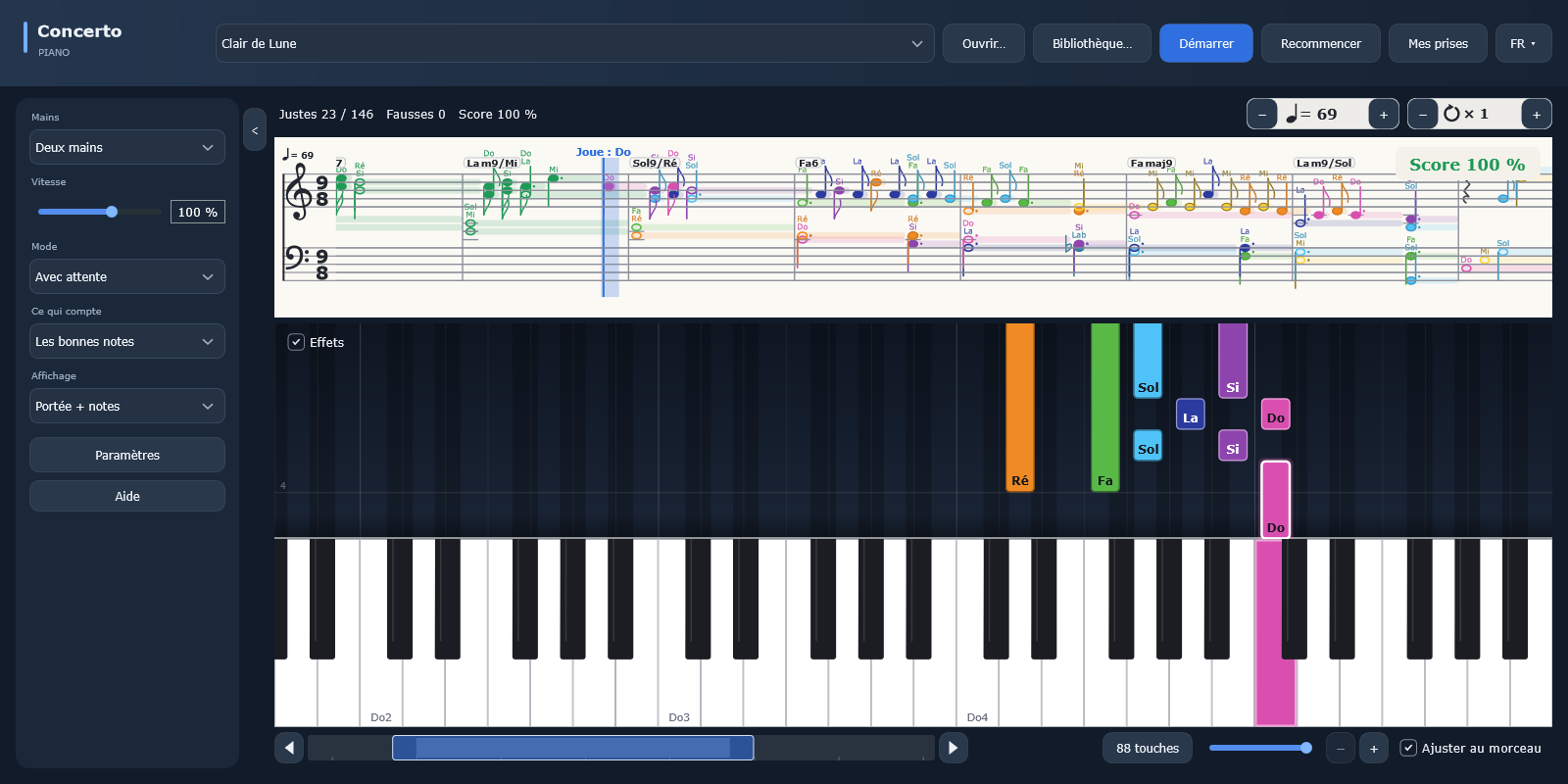
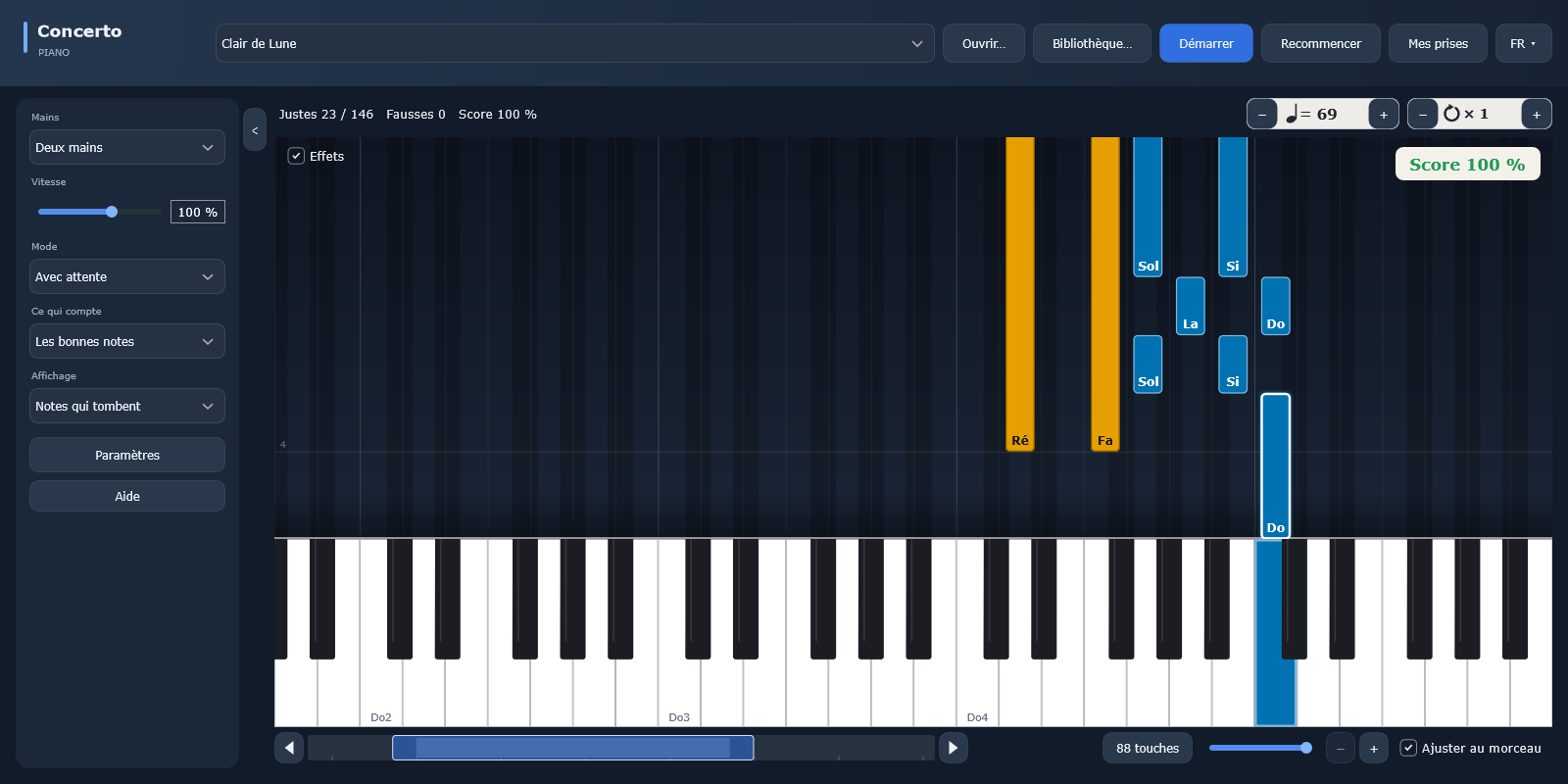
Concerto Piano: falling notes on the keyboard, Clair de Lune by Debussy

Follow the falling notes.

Not comfortable with sheet music yet? Each note drops toward its key, and its length shows how long to hold it. Play at the right moment and the score tracks your accuracy. Here, Clair de Lune by Debussy, in an easy version.

Concerto Piano: the score above and the falling notes below

The best of both.

Show the staff above and the falling notes below: you spot the note on the keyboard and learn to read it at the same time. It is the gentlest way to move from colors to real sheet music.

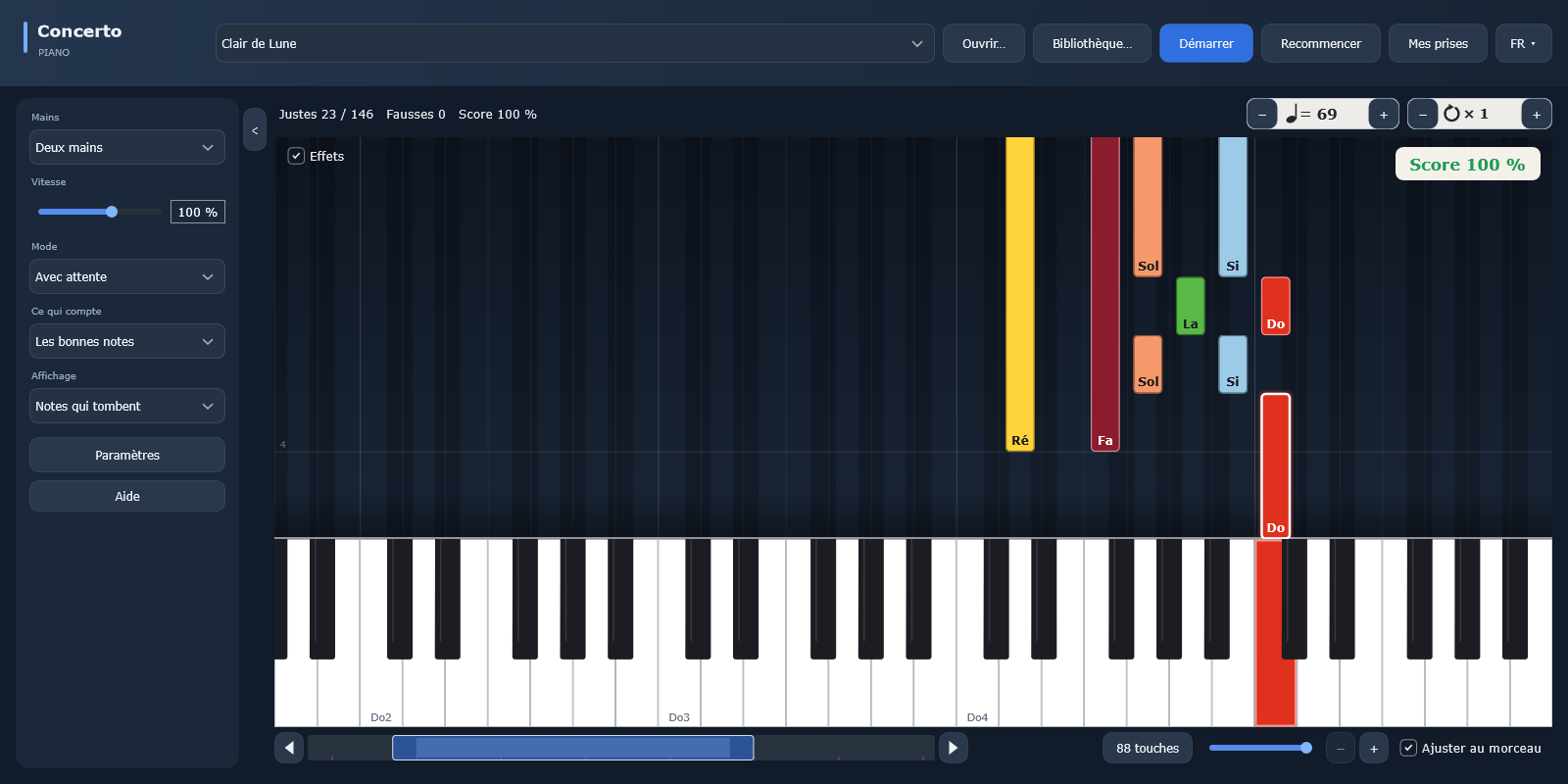
Concerto Piano: keys colored by finger, with the finger number on every note

Concerto Piano: keys colored by handConcerto Piano: keys colored with the Scriabin palette

Choose your colors.

Color the keys by note (rainbow, circle of fifths, historical palettes such as Scriabin’s), by hand or by finger, with the finger number on every note. You can also create your own palette. See all 20 color codes

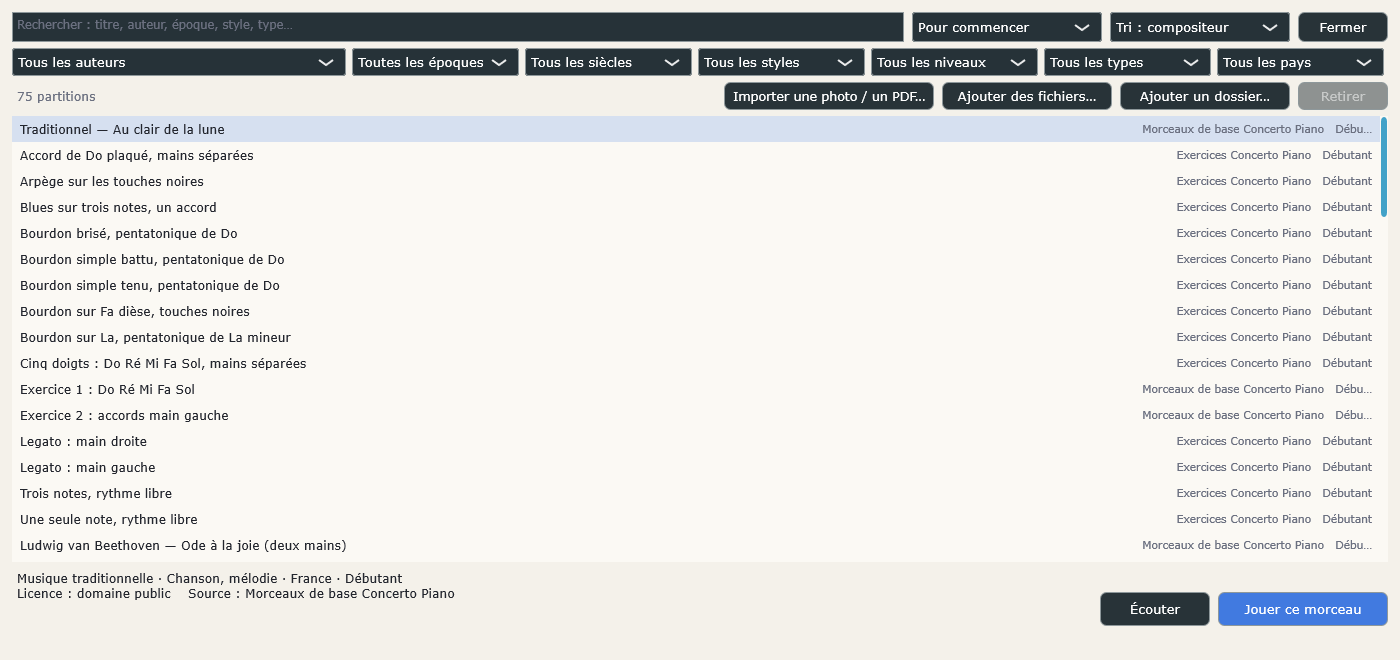
Concerto Piano: the Library, search by composer, era, style, level and country

13,900 scores to play.

The full version brings together classical pieces, songs and progressive exercises, all free to use (public domain or open license). Search by title, composer, era, style, level or country, listen to a piece before playing it and add your own scores, even from a photo or a PDF. On first launch, the “Getting started” selection offers the simplest pieces.

20 color codes,
and your own.

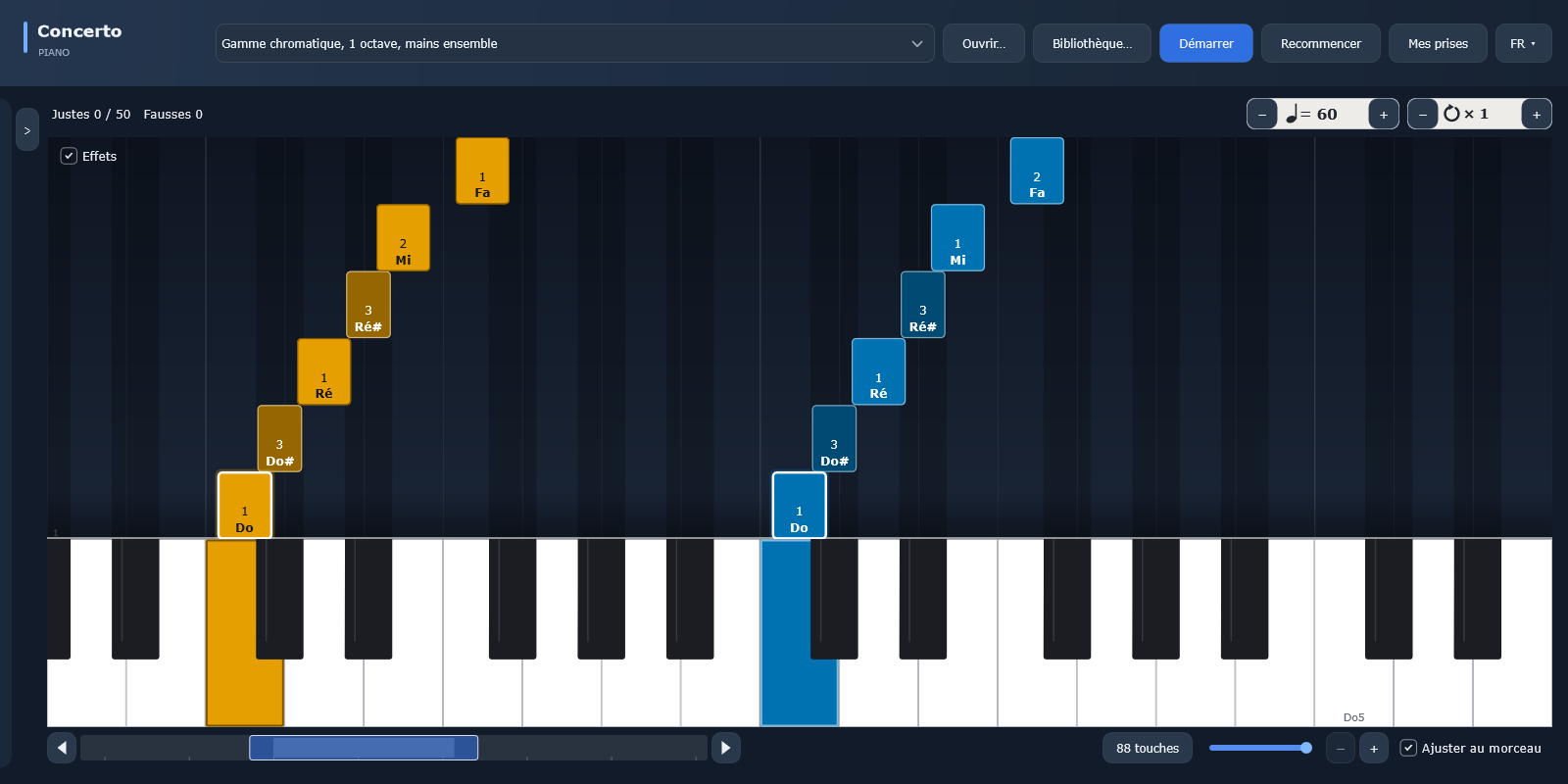
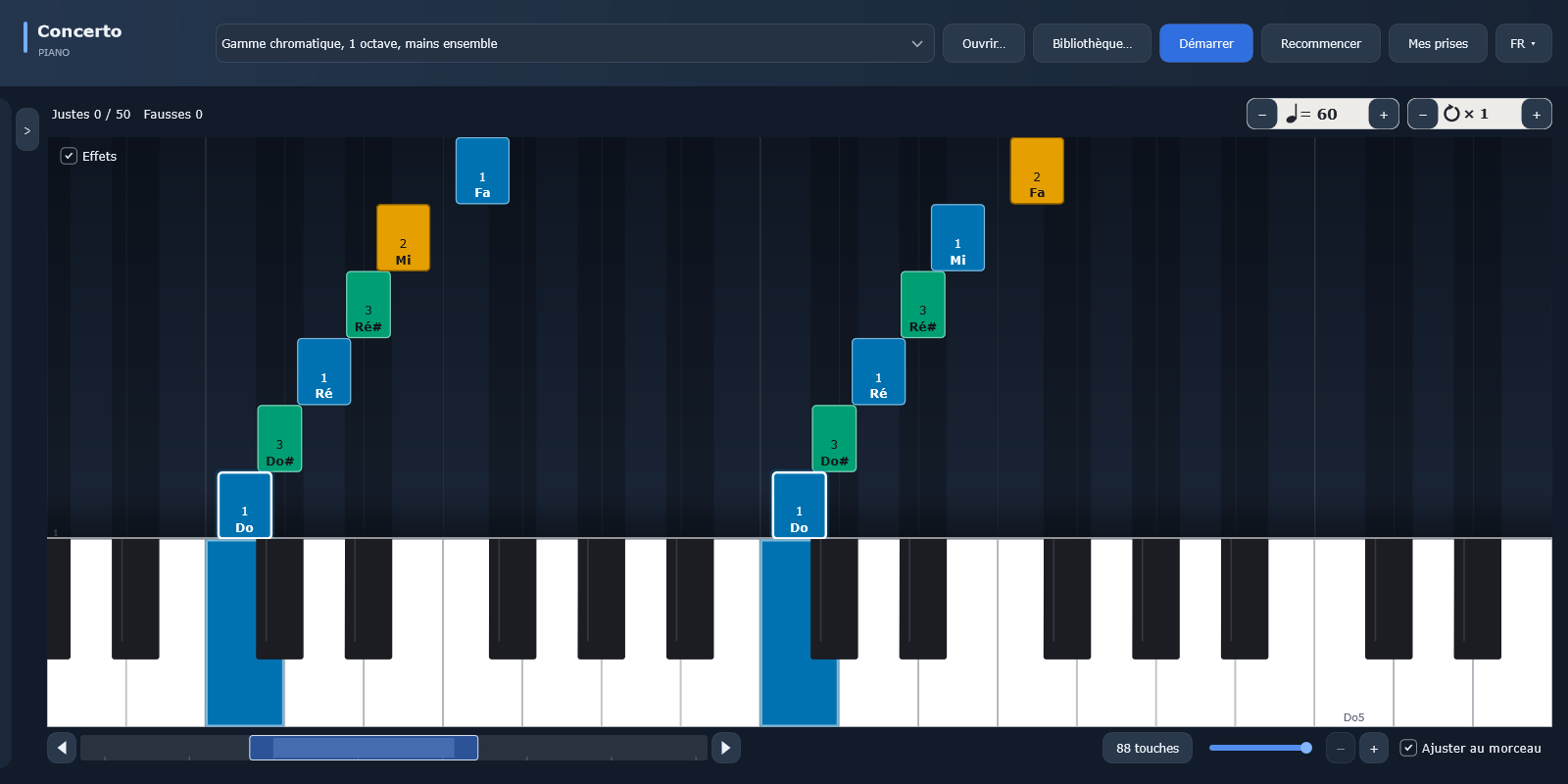
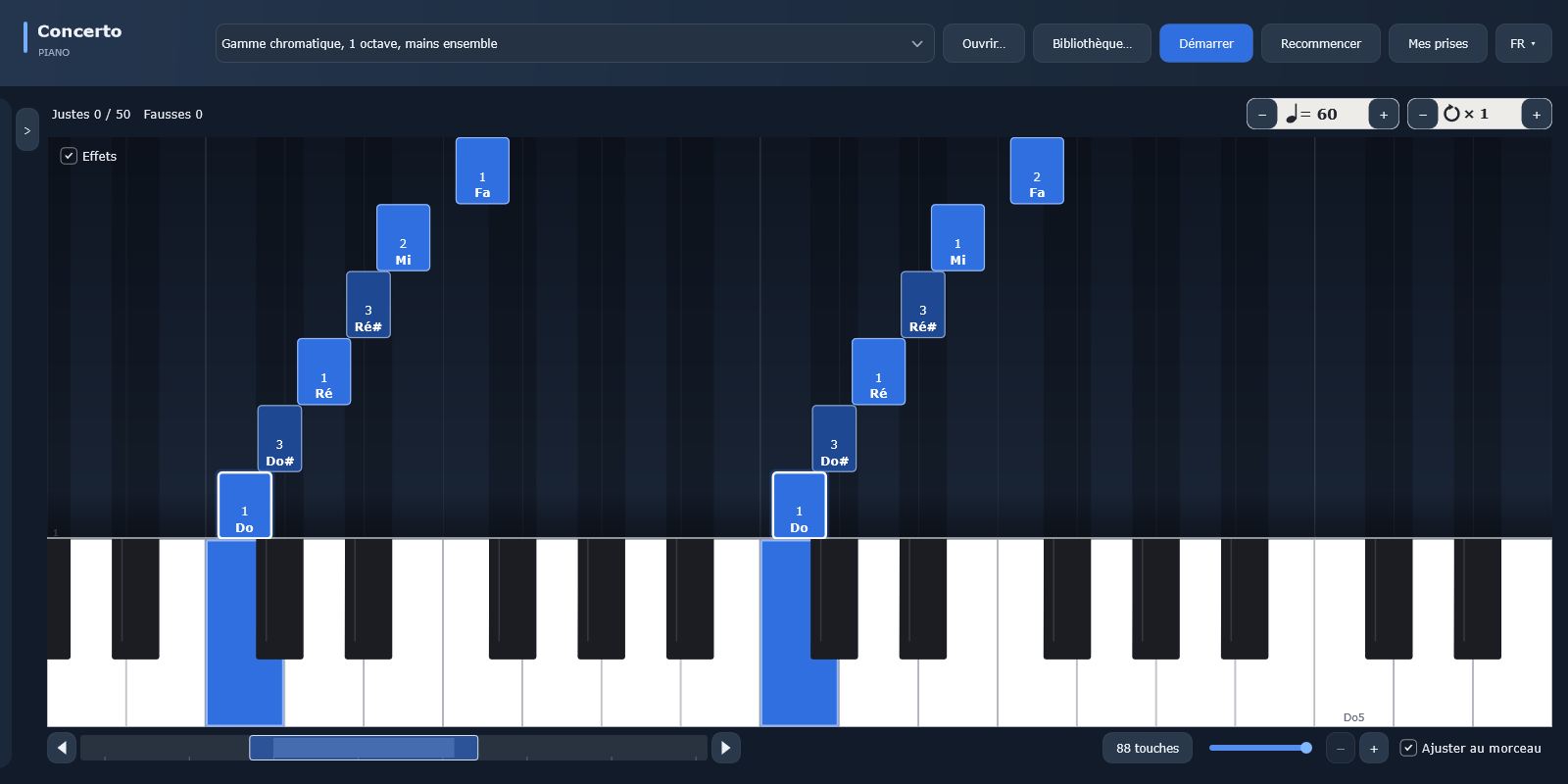
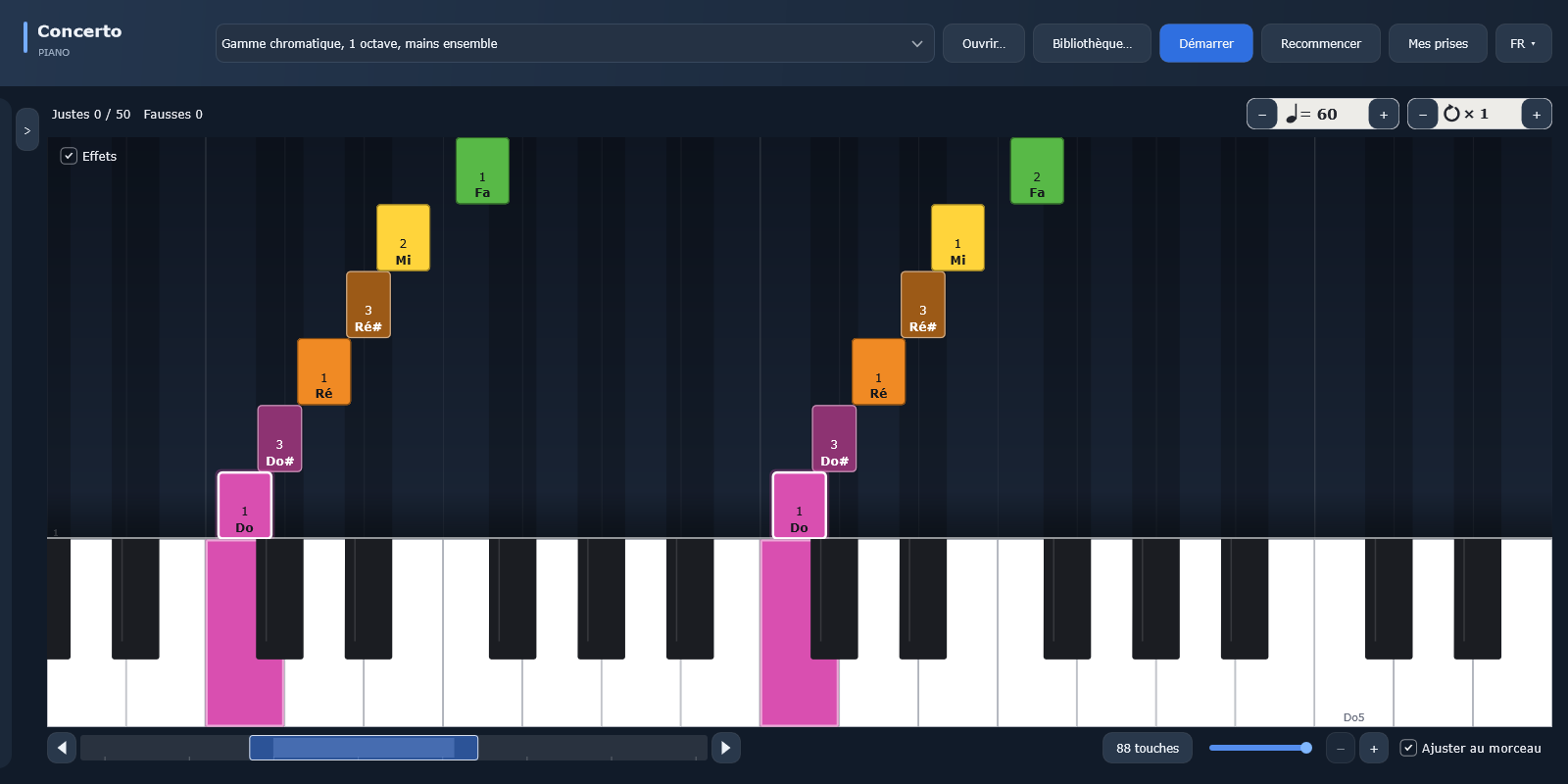
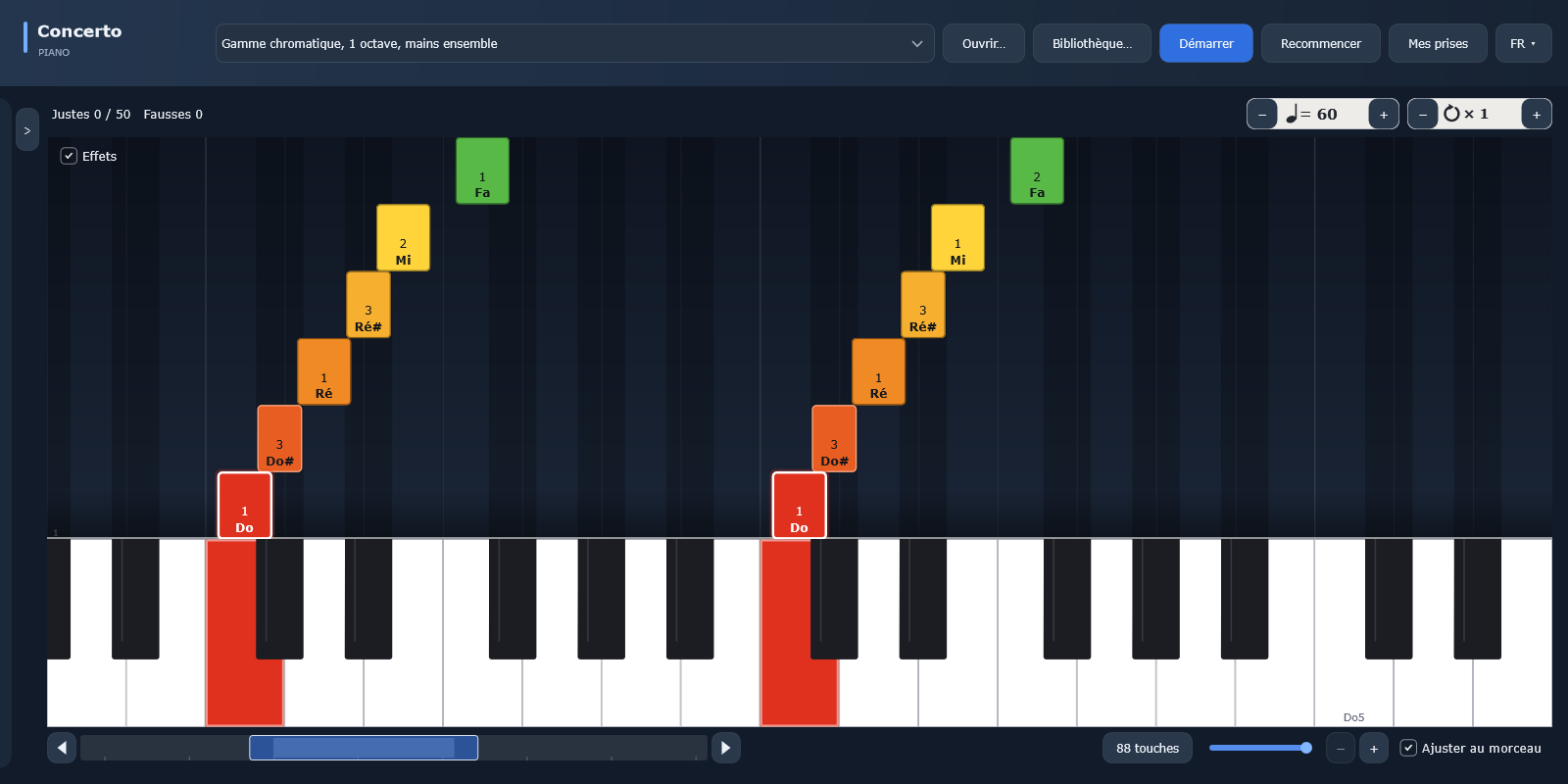
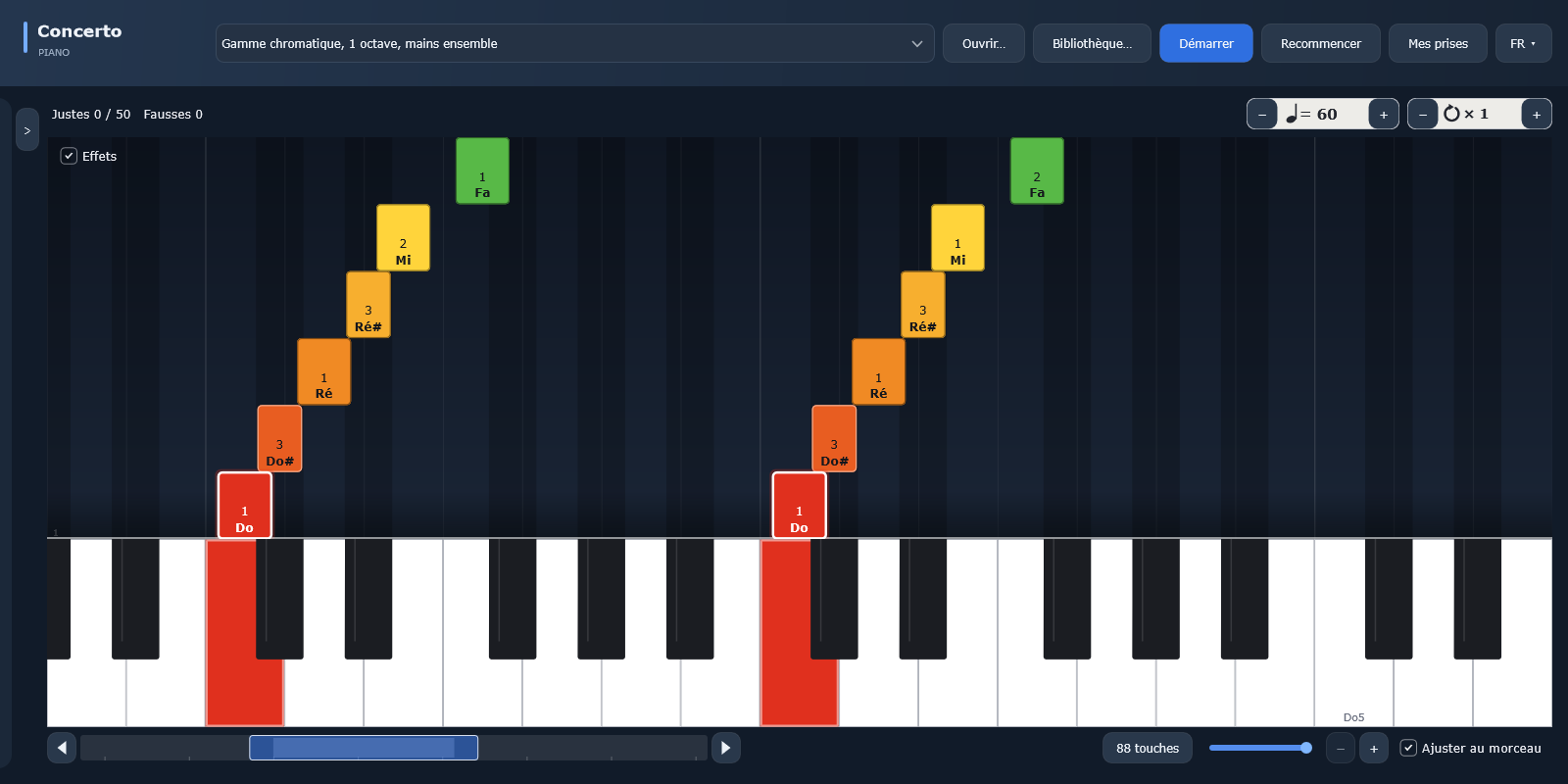
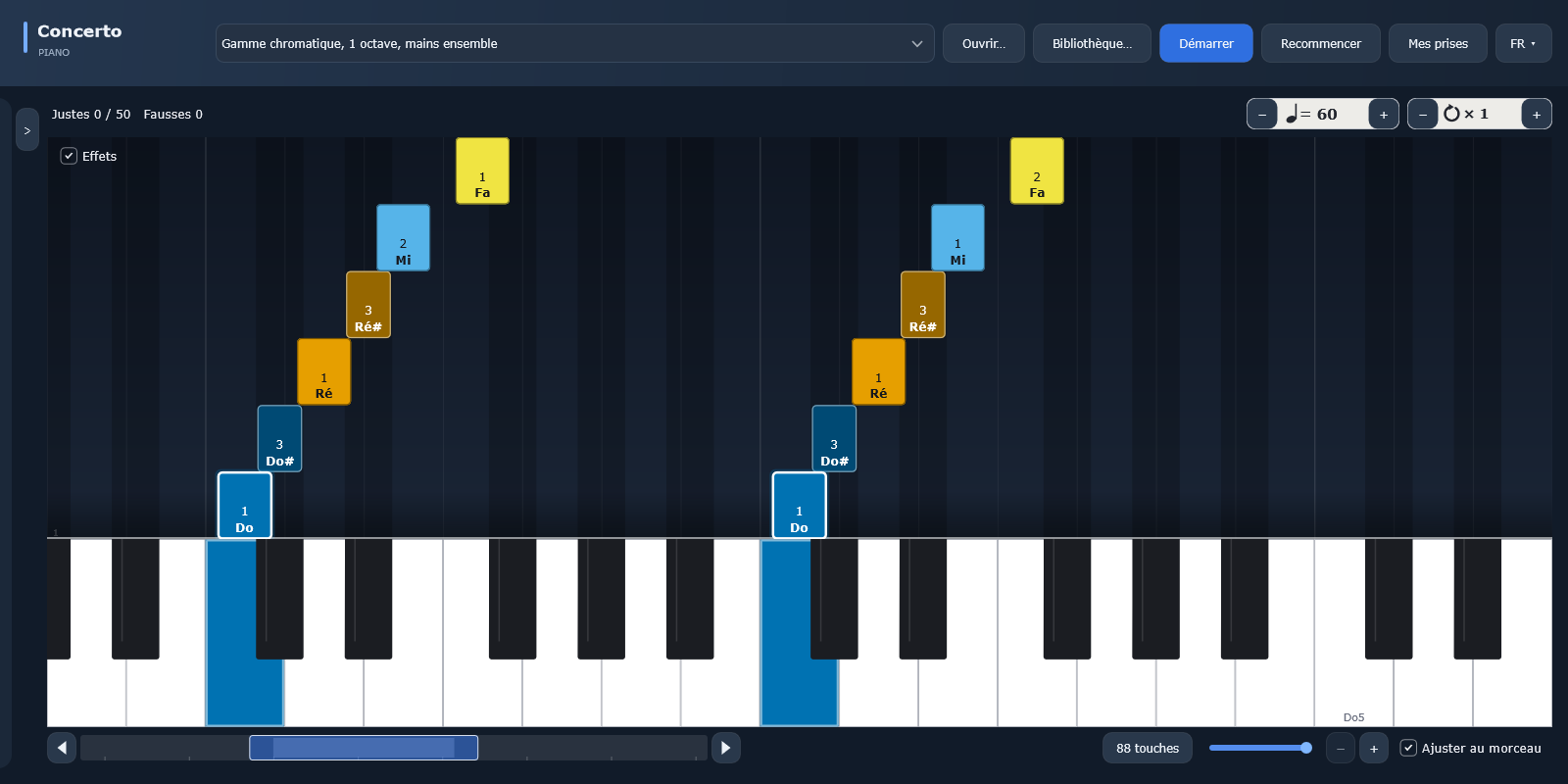
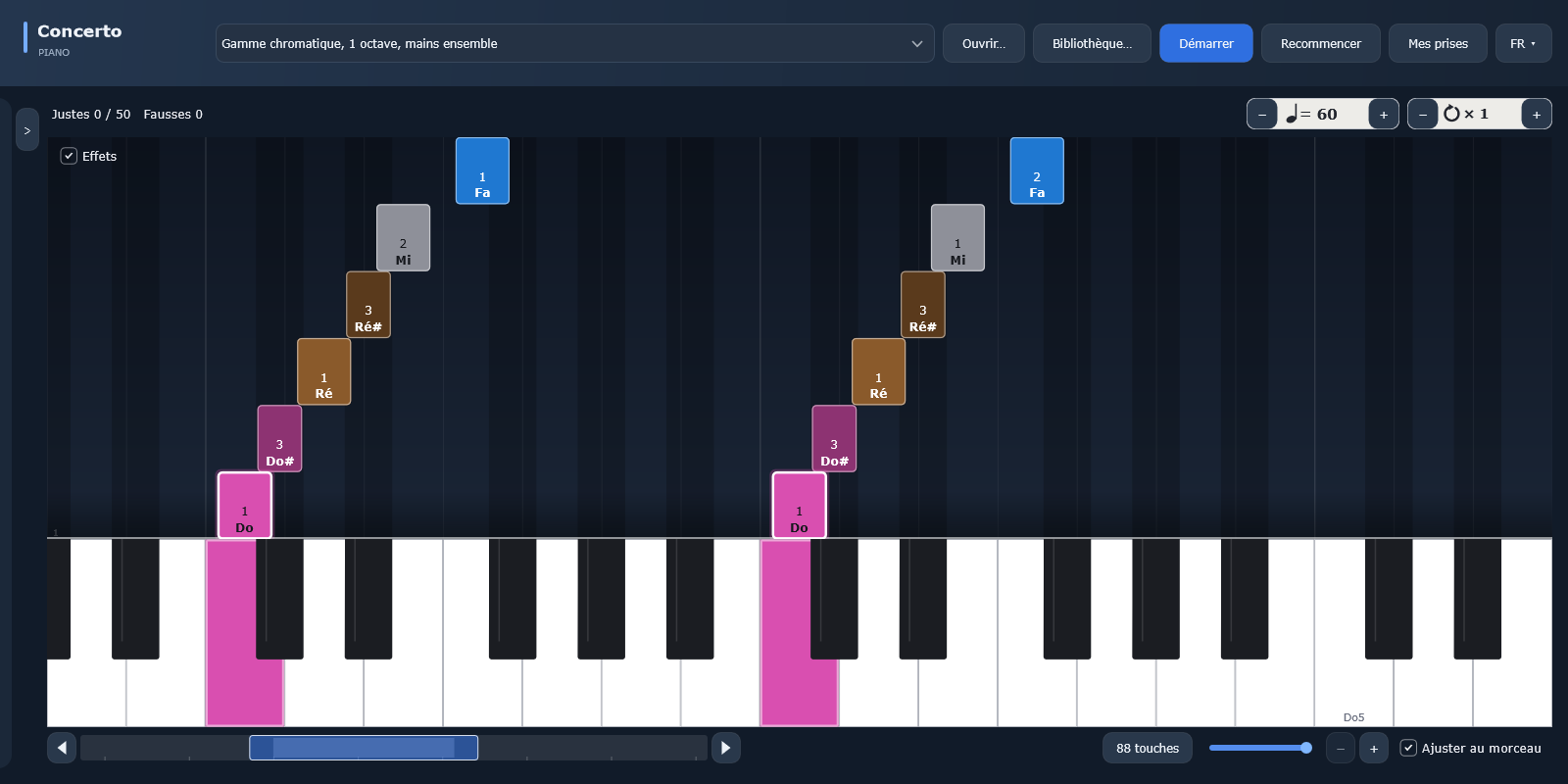
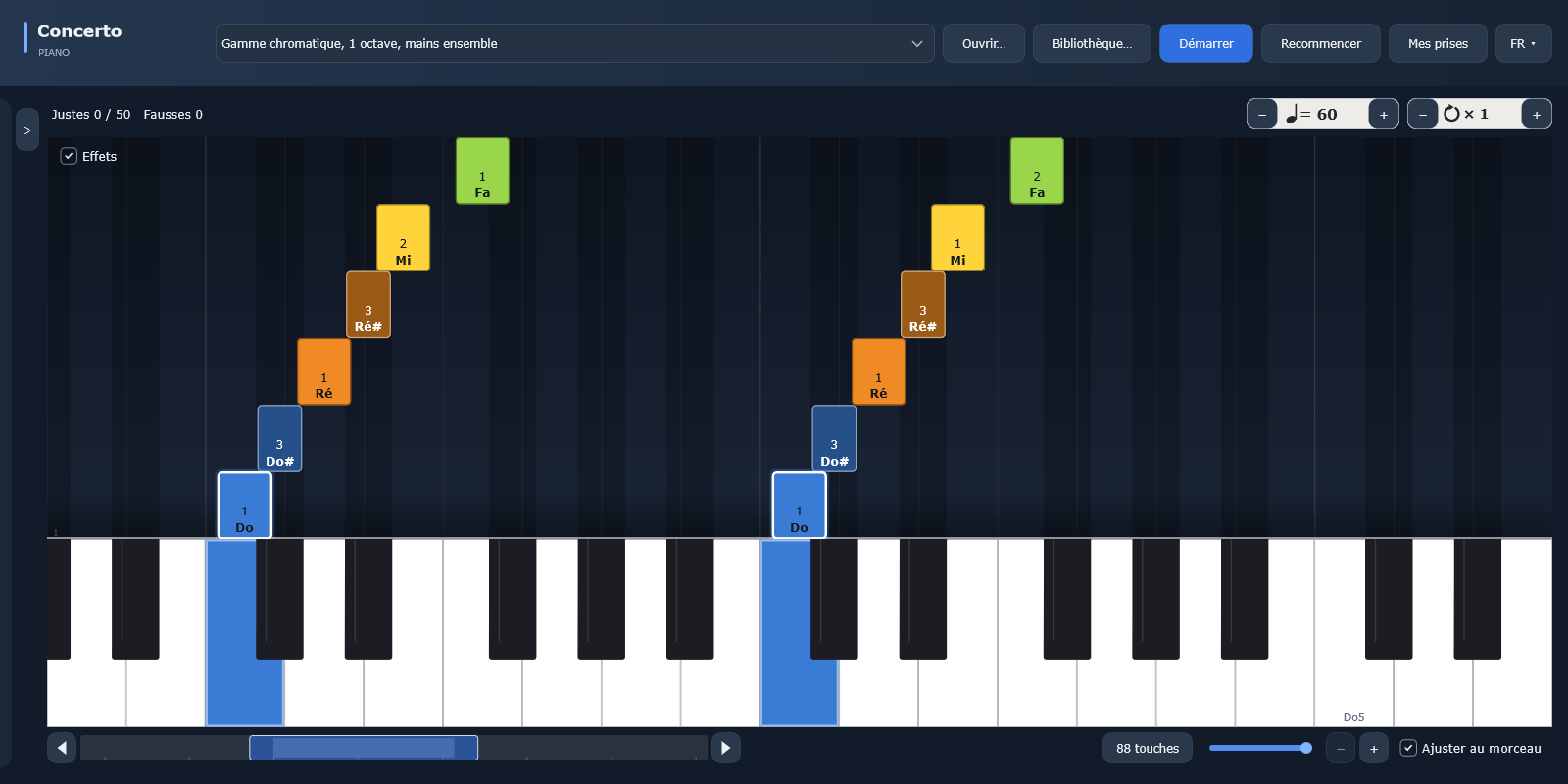
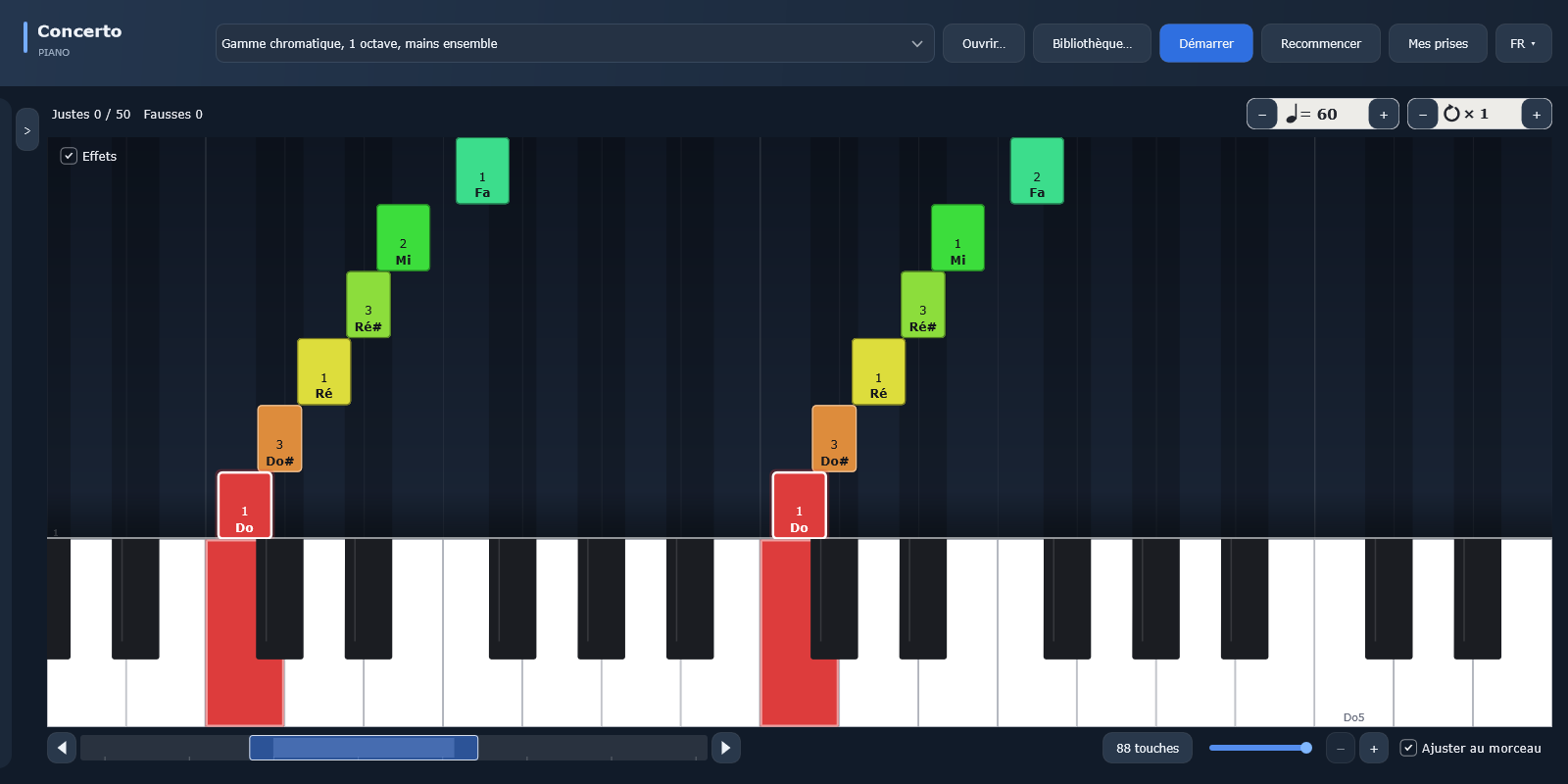
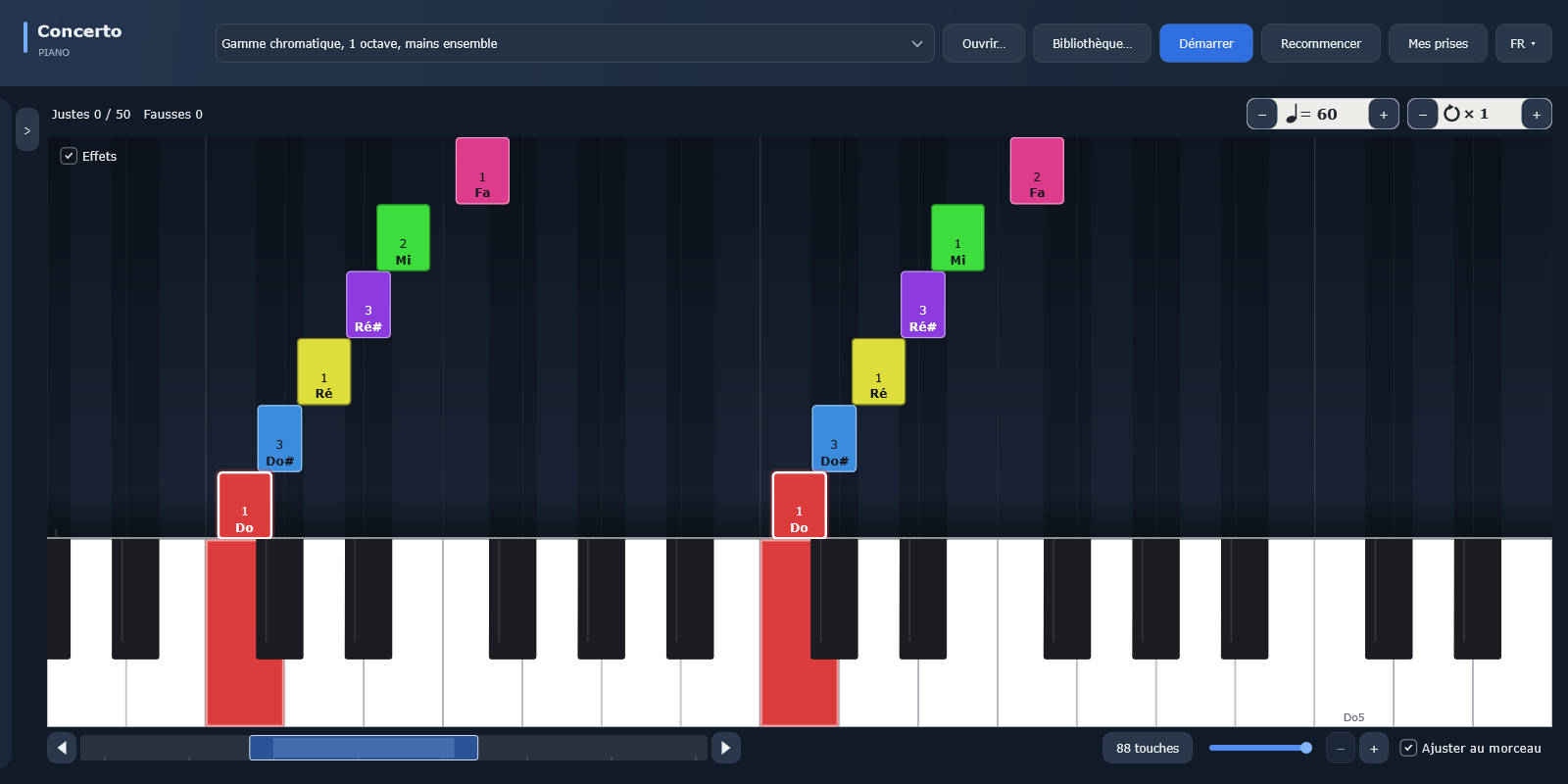
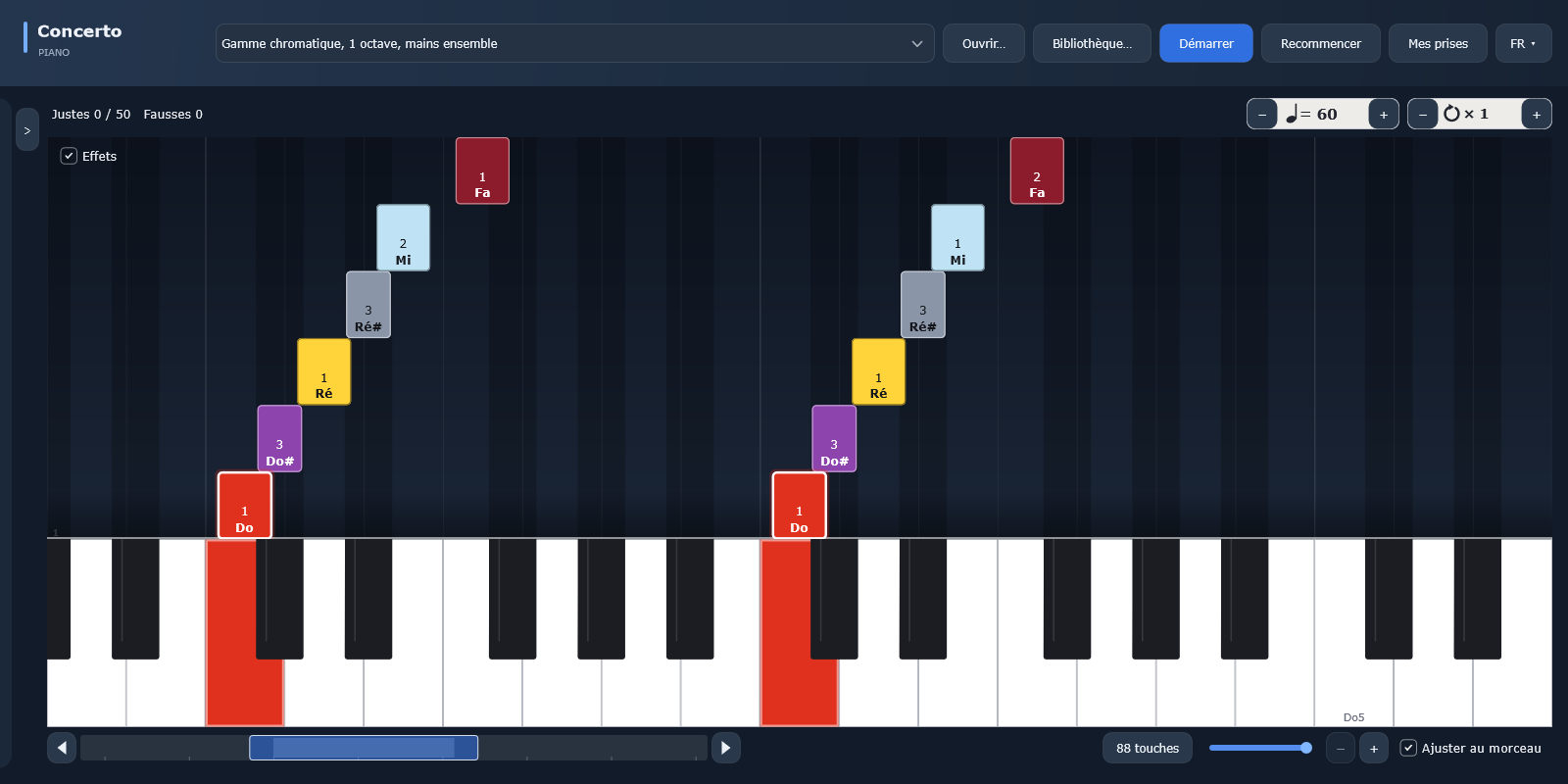
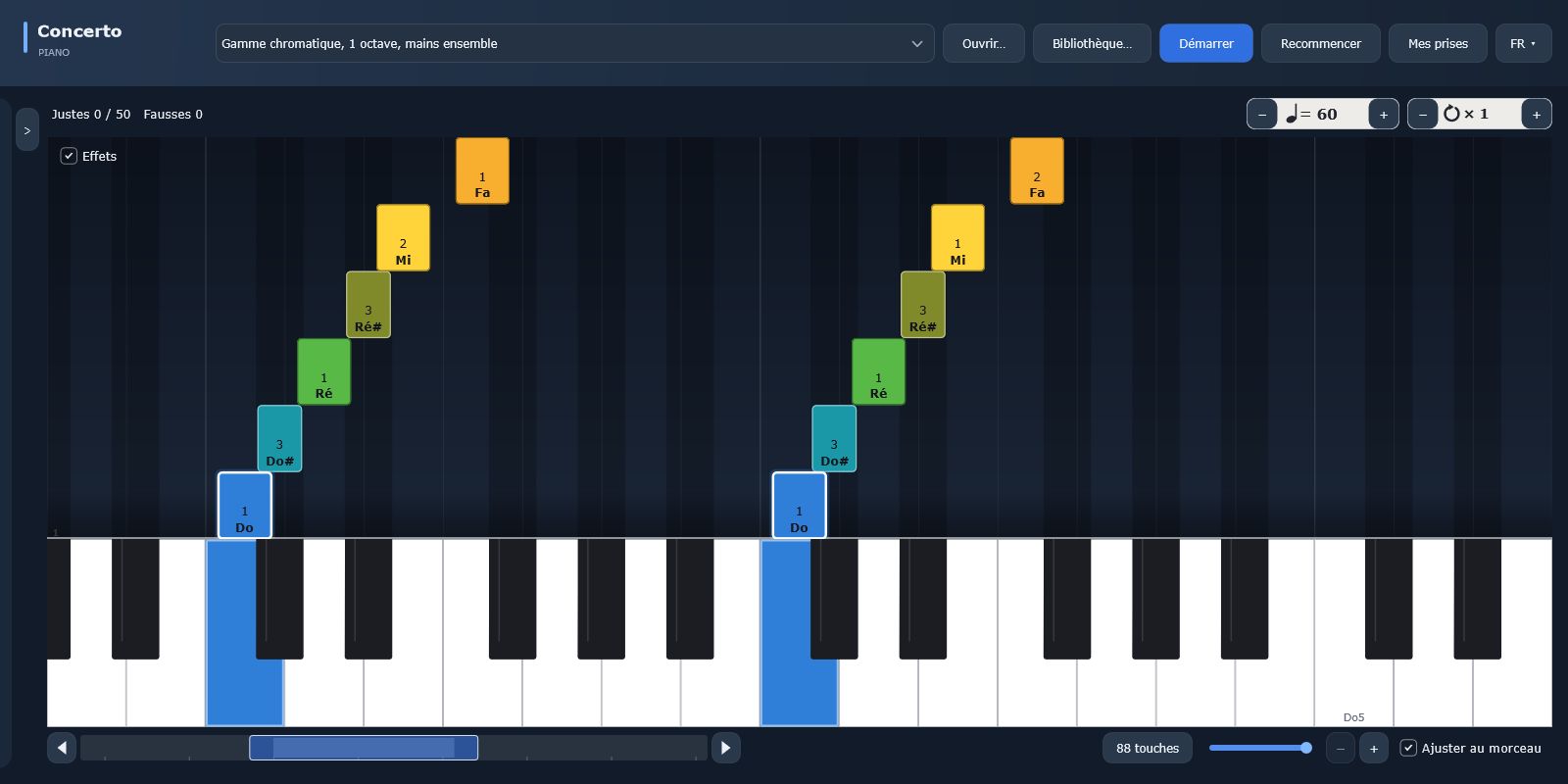
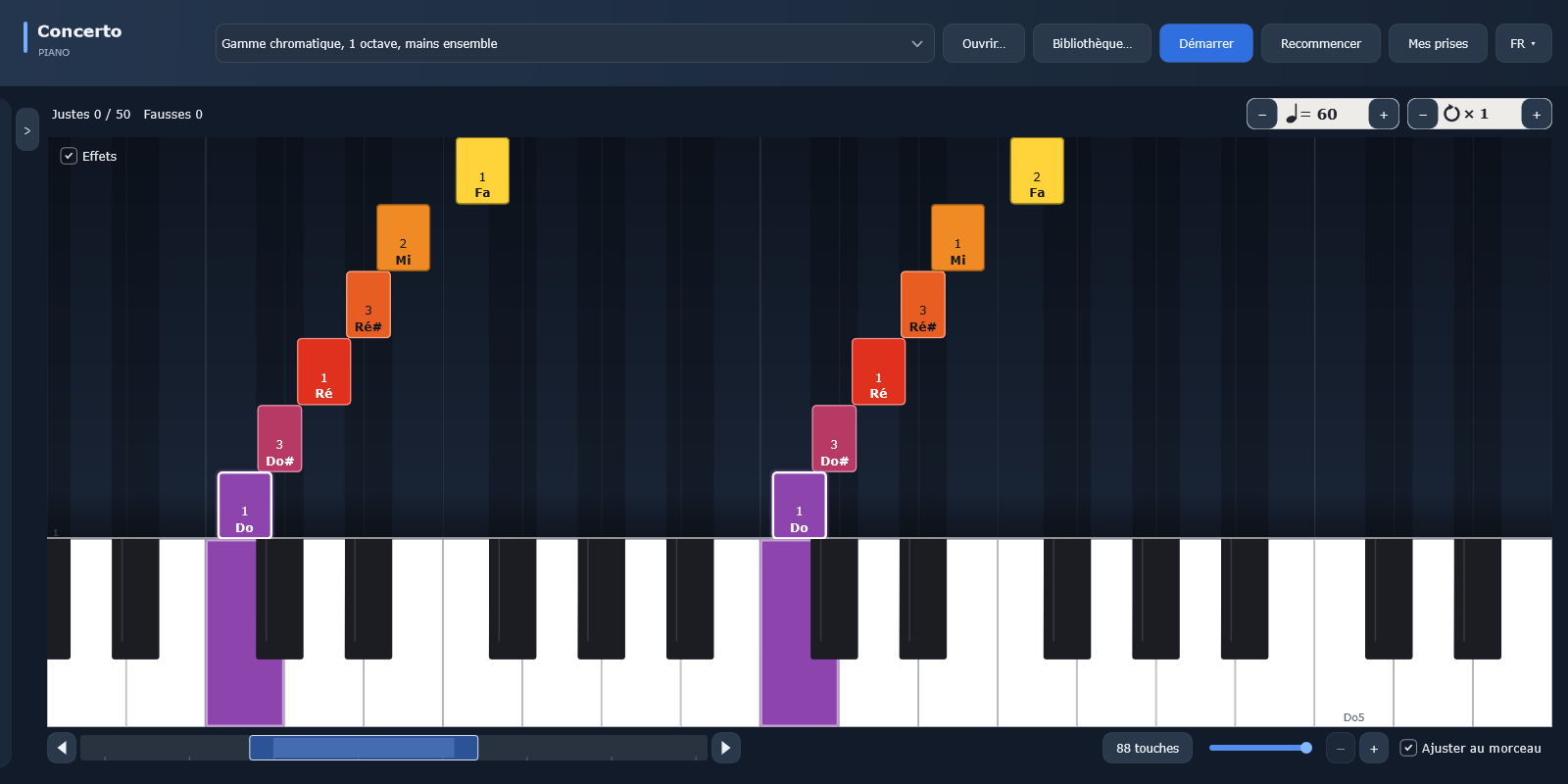
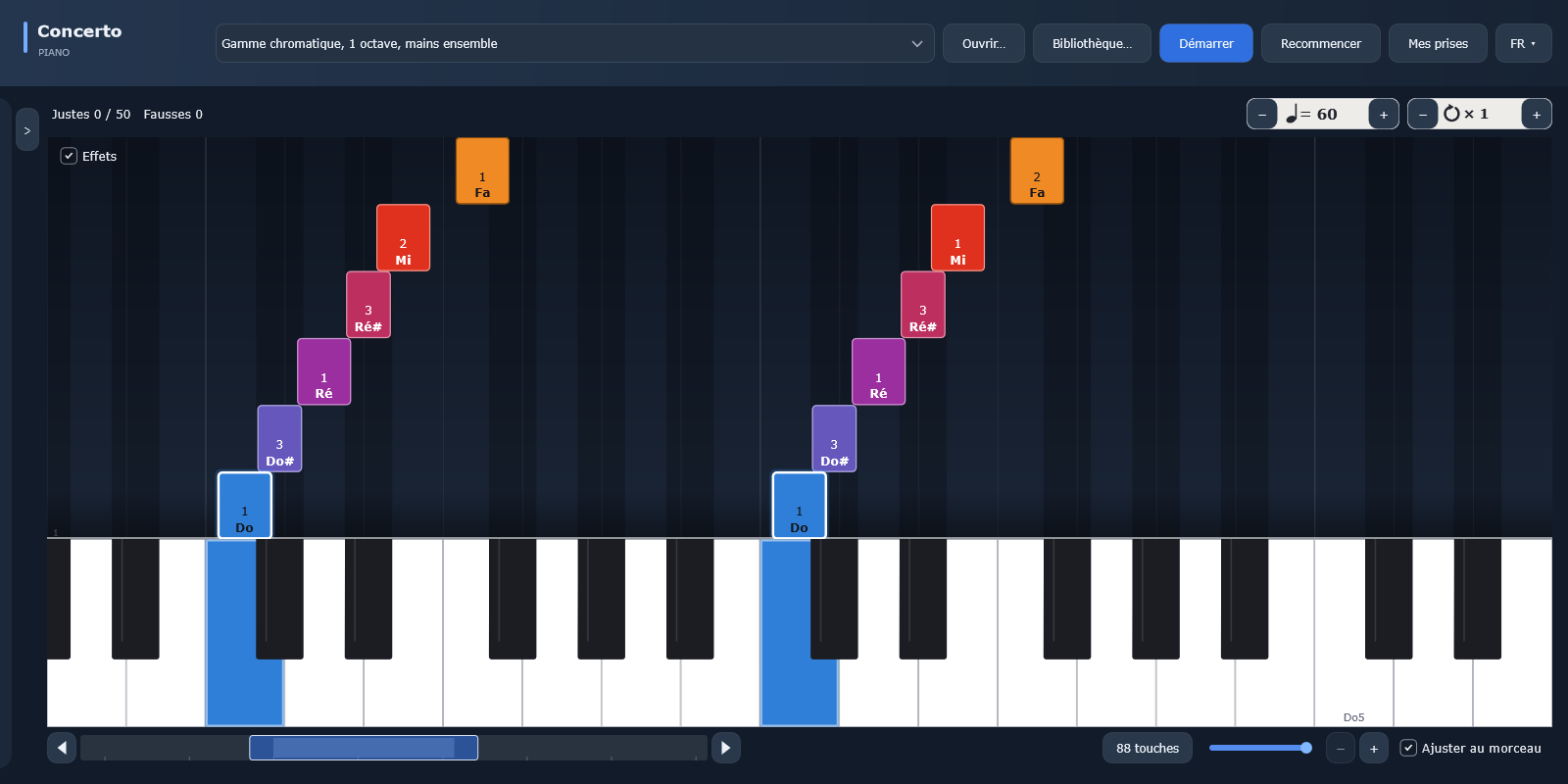
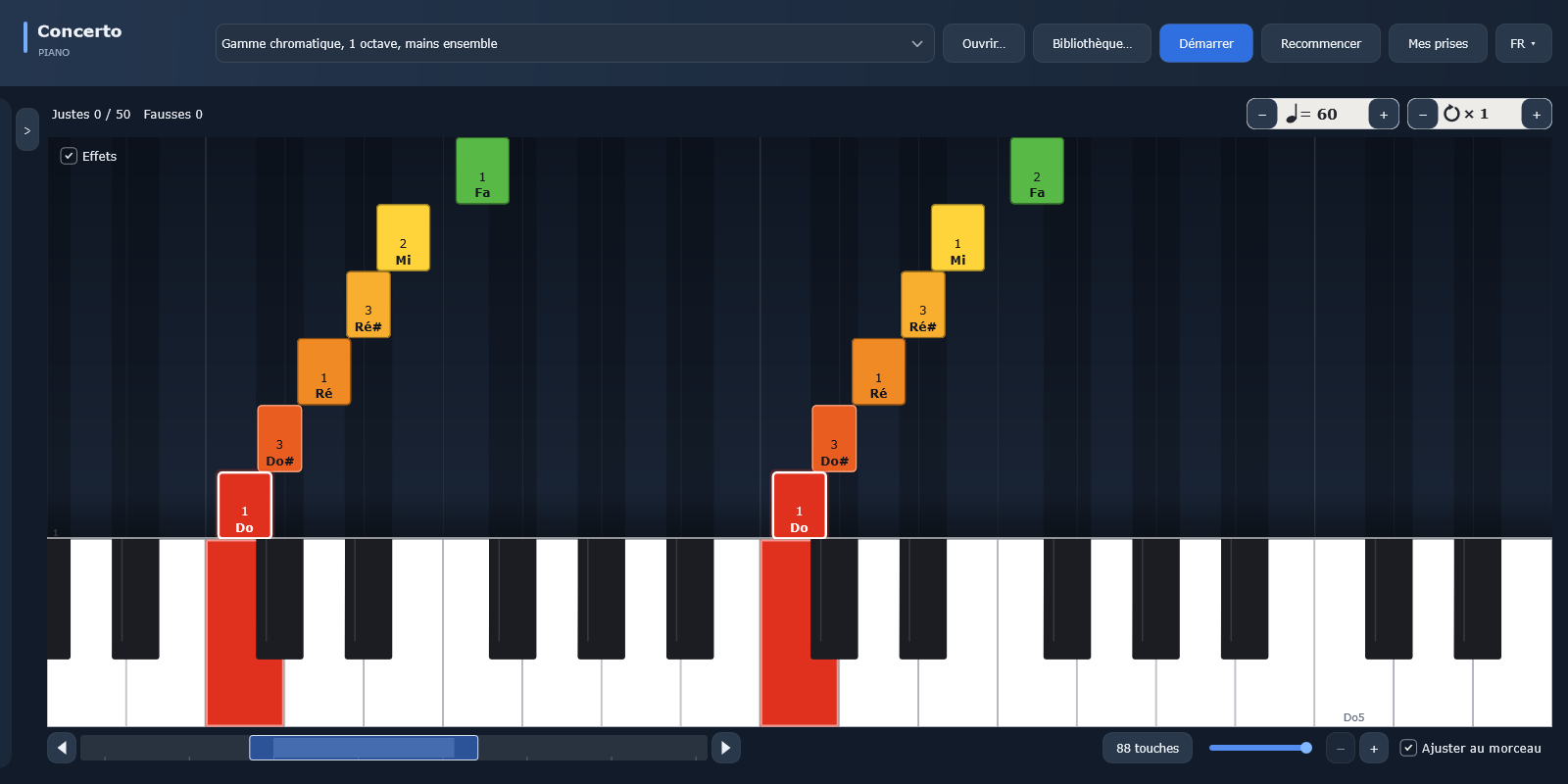
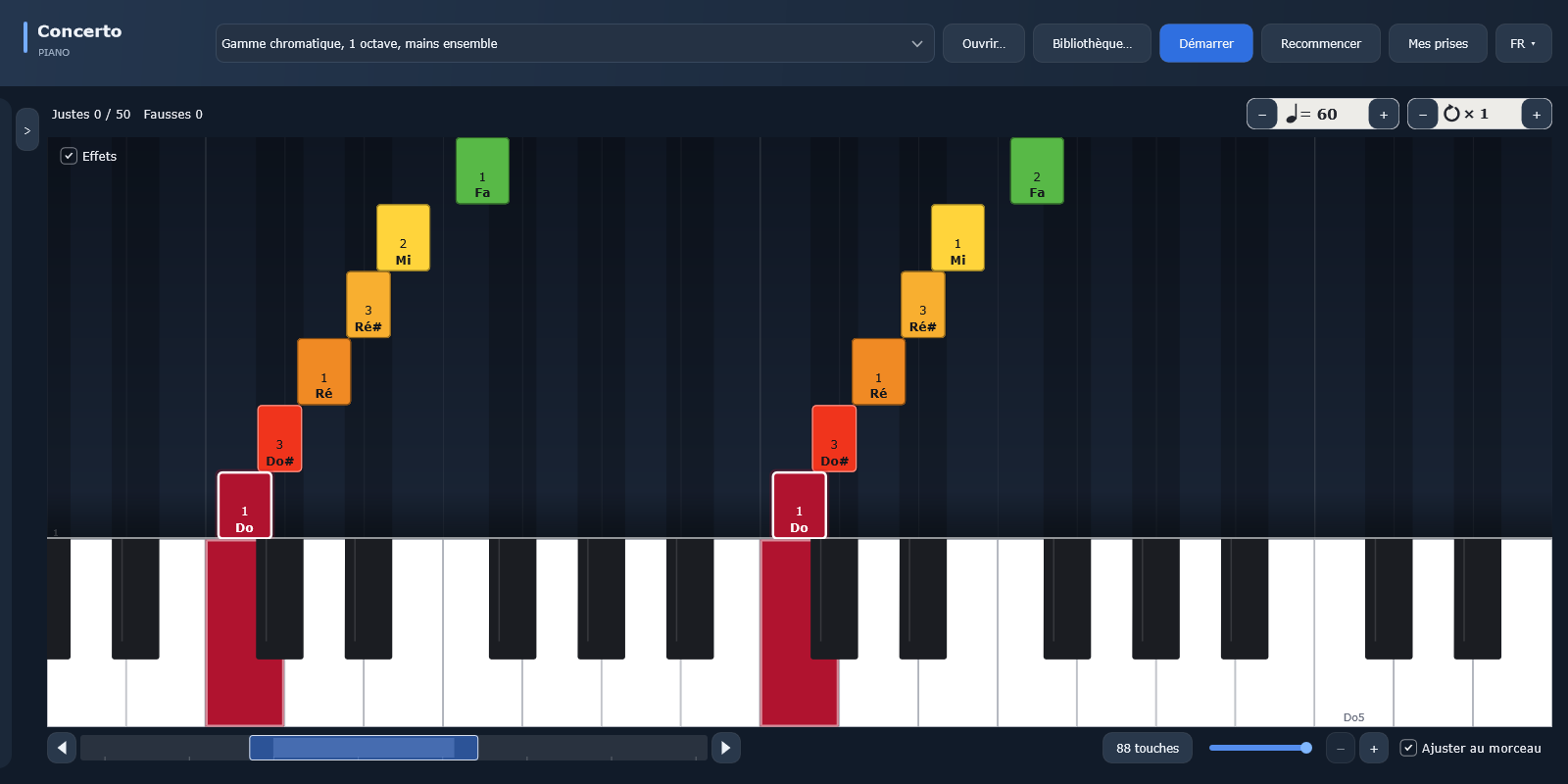
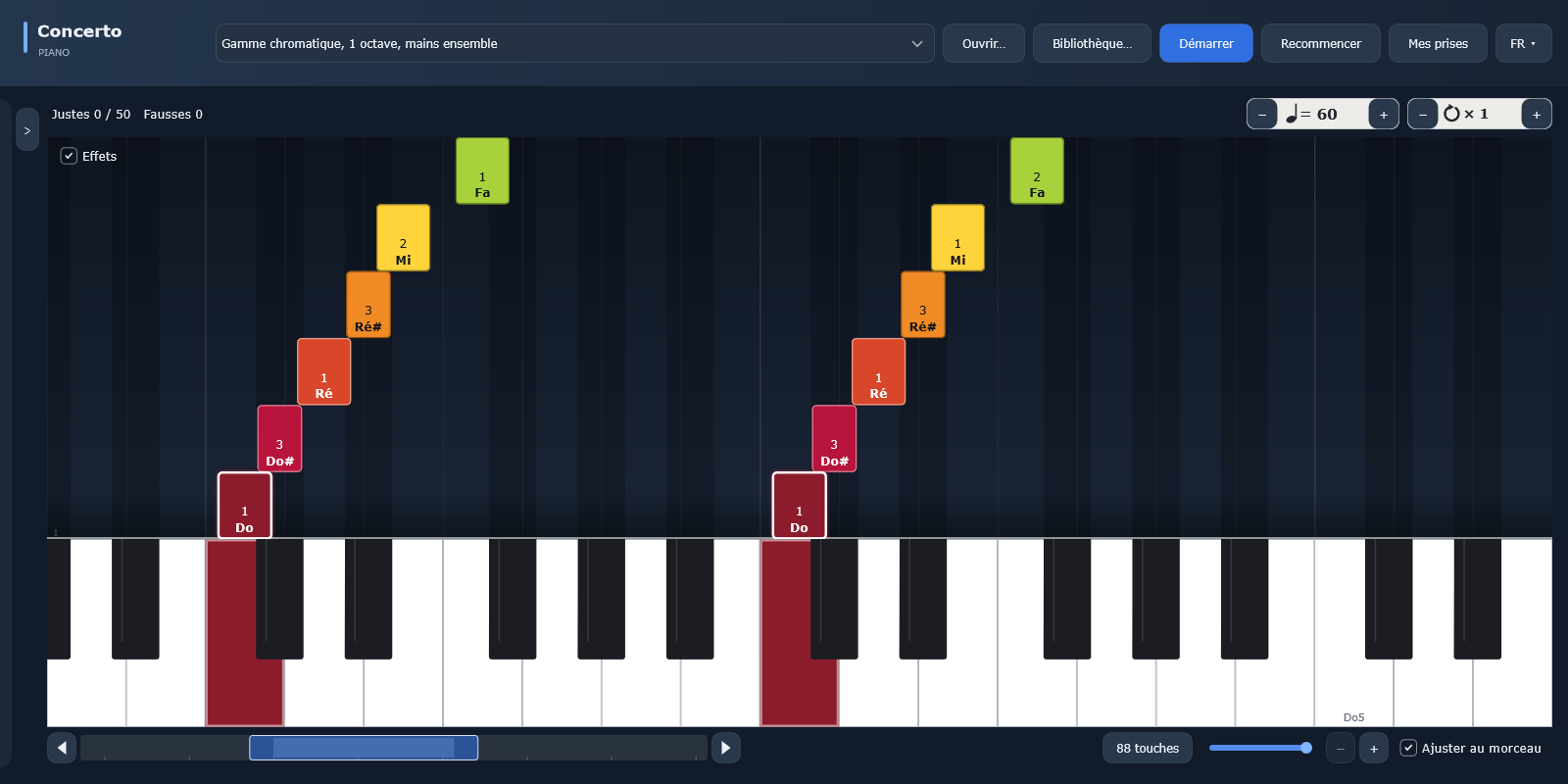
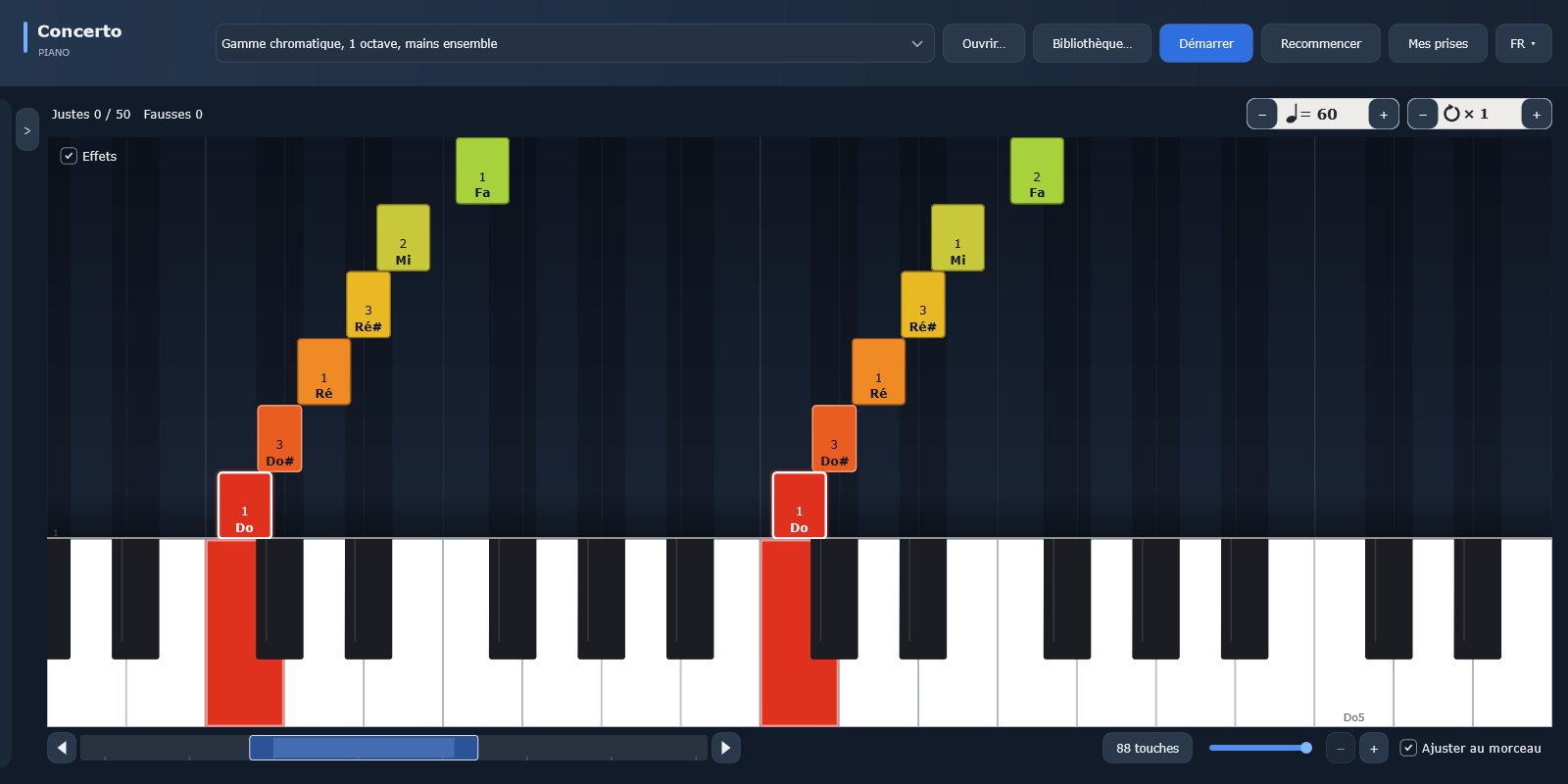
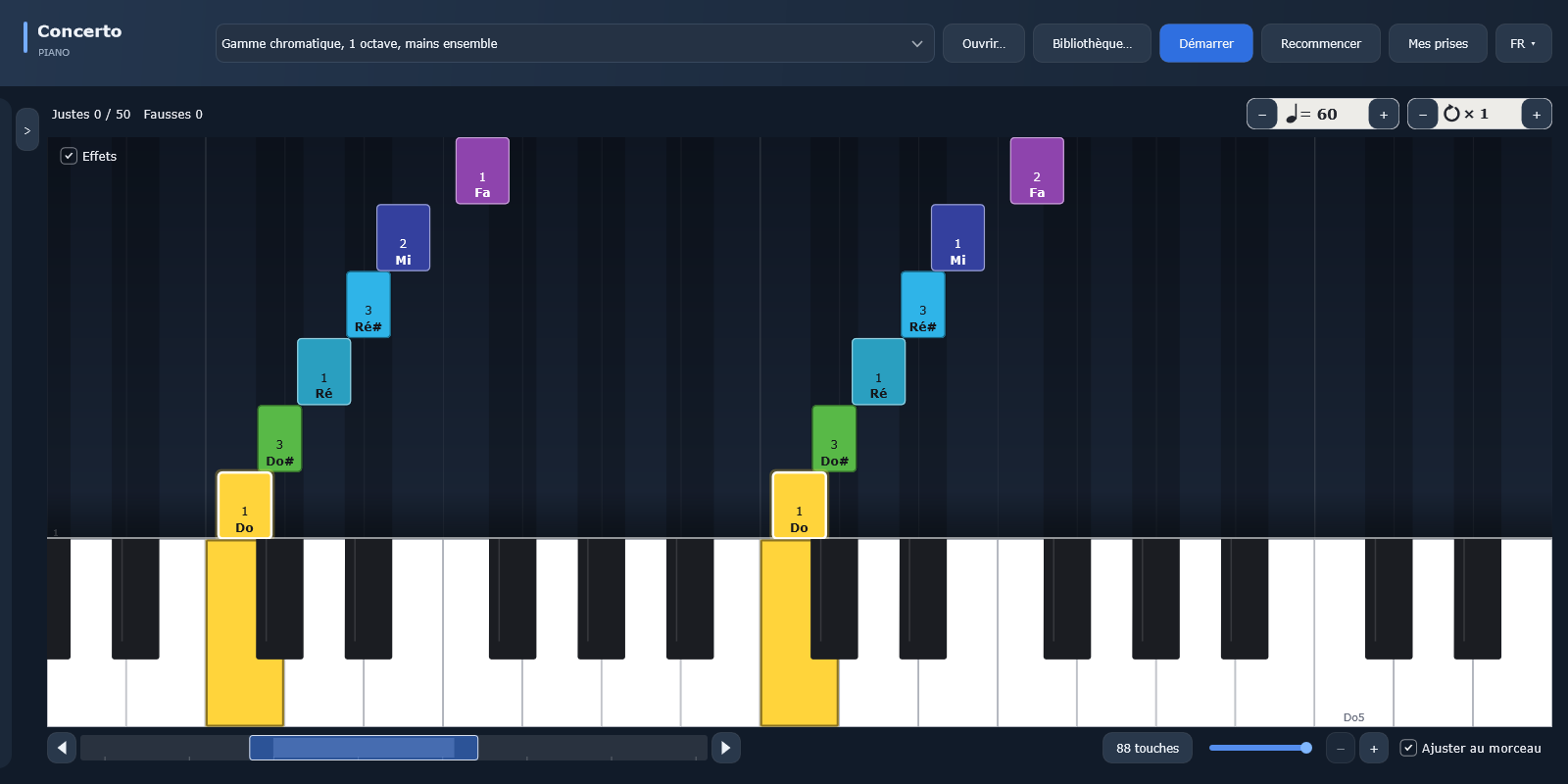
Each screenshot shows the same chromatic scale, so you can compare the palettes. The note name is always written on the key.

By hand, by finger, solid

Concerto Piano: “By hand” color code, chromatic scale as falling notes
By handBlue for the right hand, orange for the left: two colors that color-blind players can tell apart too.
Concerto Piano: “By finger” color code, chromatic scale as falling notes
By fingerOne color per finger, the same on both hands, with the finger number on every note.
Concerto Piano: “Solid” color code, chromatic scale as falling notes
SolidA single color for all the notes to play, so you can focus on reading.

By note, current conventions

Concerto Piano: “Rainbow” color code, chromatic scale as falling notes
RainbowOne color per note, from pink C to purple B. A sharp takes the color of the note below it, darkened.
Concerto Piano: “Classic rainbow” color code, chromatic scale as falling notes
Classic rainbowThe most widespread convention: the rainbow over C, D, E…, with a true red C.
Concerto Piano: “By scale degree” color code, chromatic scale as falling notes
By scale degreeThe color follows the note’s degree in the piece’s scale: the first degree is always red.
Concerto Piano: “Color-blind friendly” color code, chromatic scale as falling notes
Color-blind friendlySeven colors that stay distinct when red and green are confused (Okabe and Ito palette).
Concerto Piano: “Keycolors 3” color code, chromatic scale as falling notes
Keycolors 3C pink, D brown, E gray, F blue, G black, A yellow, B green.
Concerto Piano: “Keycolors 4” color code, chromatic scale as falling notes
Keycolors 4C blue, D orange, E yellow, F light green, G turquoise, A purple, B pink.

By note, circles

Concerto Piano: “Chromatic circle” color code, chromatic scale as falling notes
Chromatic circleThe 12 notes evenly spaced around the color wheel: each semitone shifts the hue by the same amount.
Concerto Piano: “Circle of fifths” color code, chromatic scale as falling notes
Circle of fifthsThe notes arranged in fifths: the notes of a given chord have neighboring colors.

By note, historical

Sound-to-color correspondences imagined by musicians and scholars. The hues are interpreted from their descriptions.

Concerto Piano: “Scriabin” color code, chromatic scale as falling notes
ScriabinThe light keyboard planned by Alexander Scriabin for Prometheus (1911), based on the circle of fifths.
Concerto Piano: “Castel” color code, chromatic scale as falling notes
CastelLouis-Bertrand Castel’s ocular harpsichord (18th century), one of the first color instruments.
Concerto Piano: “Newton” color code, chromatic scale as falling notes
NewtonThe seven colors of the spectrum that Isaac Newton assigned to the seven notes (Opticks, 1704).
Concerto Piano: “Field” color code, chromatic scale as falling notes
FieldSeven colors, from blue to green, after George Field (early 19th century).
Concerto Piano: “Jameson” color code, chromatic scale as falling notes
JamesonTwelve colors, from red to violet, after Jameson (mid-19th century).
Concerto Piano: “Seemann” color code, chromatic scale as falling notes
SeemannTwelve colors, from carmine to black, after Seemann (19th century).
Concerto Piano: “Rimington” color code, chromatic scale as falling notes
RimingtonAlexander Wallace Rimington’s color organ (1893), from dark red to violet.
Concerto Piano: “Bishop” color code, chromatic scale as falling notes
BishopTwelve colors, from red to red-violet, after Bishop (1893).
Concerto Piano: “Helmholtz” color code, chromatic scale as falling notes
HelmholtzHermann von Helmholtz’s sequence (19th century), from yellow on C through to the reds.

Your palette

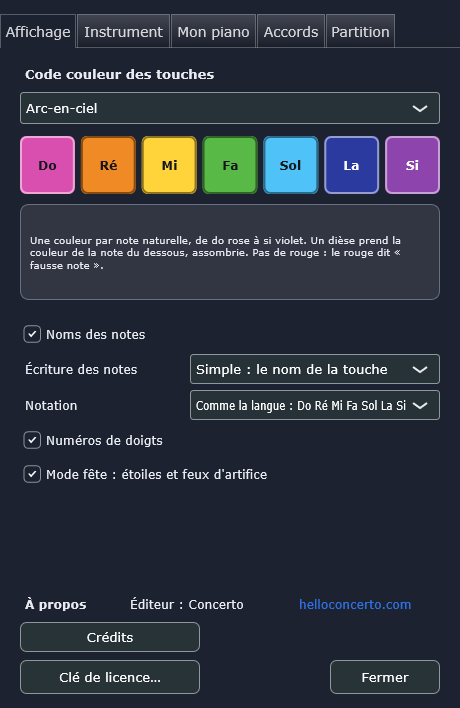
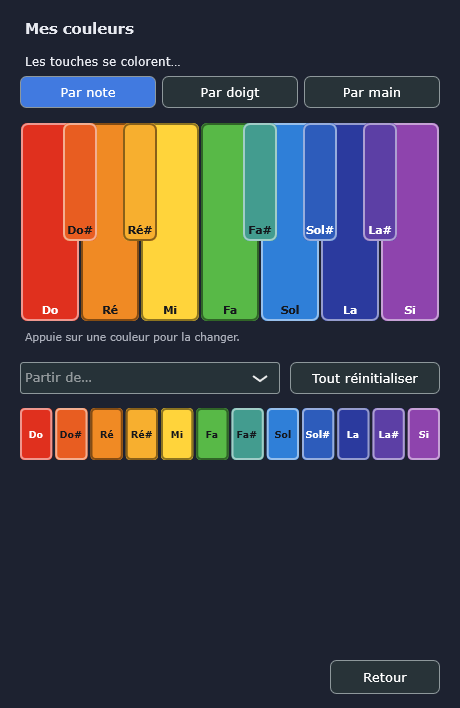
Concerto Piano: choosing the color code in Settings, DisplayConcerto Piano: setting your own colors, one per note

Create your own colors.

You choose the color code in Settings, Display, with a preview and an explanation for each palette. You can also create your own: one color per note, per finger or per hand. Start from an existing palette, then tap a color to change it, for example to recreate the colors you see when you hear a note.

Your turn

Ready to play?

Try the free demo, then choose your plan: one-time purchase or subscription.

Secret Link